Posts in Category: Technology

  • Serverless Databases: Choosing the Right Cloud-Based Data Solution

    Serverless Databases: Choosing the Right Cloud-Based Data Solution

    Serverless databases have revolutionized how developers think about data storage in the cloud, offering automatic scaling, pay-per-use pricing, and reduced operational overhead. But with so many serverless database options available— from document stores to relational databases to time-series solutions—the choice can feel overwhelming.

    Understanding Serverless Databases

    Serverless databases abstract away the underlying infrastructure management, automatically handling capacity planning, scaling, and maintenance. Instead of provisioning and managing servers, you focus on your data model and application logic while the database service handles the rest.

    Key benefits of serverless databases include:

    • Automatic scaling based on workload
    • Pay-per-use pricing (often based on read/write operations and storage)
    • Zero operational overhead
    • High availability and durability by default
    • Global distribution options

    Popular Serverless Database Options

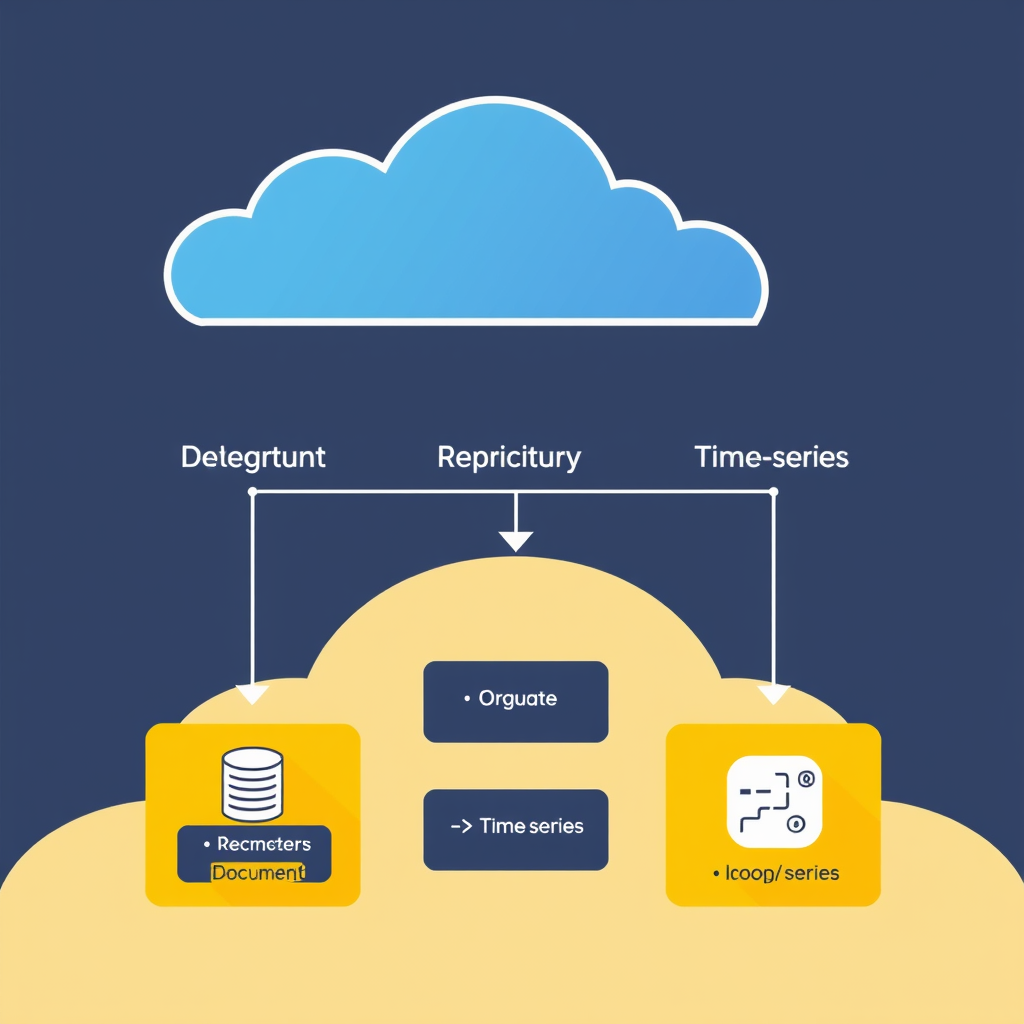
    1. Document Databases

    Examples: MongoDB Atlas, DynamoDB, Couchbase Capella

    Best for: JSON-like data, flexible schemas, content management, user profiles

    Key features: Automatic scaling, global clusters, flexible data modeling, built-in search capabilities

    MongoDB Atlas offers multi-cloud support and advanced security features, while DynamoDB provides true serverless scaling with per-request pricing.

    2. Serverless Relational Databases

    Examples: Amazon Aurora Serverless v2, CockroachDB Serverless, Neon, Supabase

    Best for: Complex queries, transactions, structured data, multi-tenant applications

    Key features: SQL compatibility, ACID transactions, horizontal scaling, branching capabilities

    Aurora Serverless v2 provides seamless scaling between 2 and 400 ACUs, while CockroachDB Serverless offers true serverless scaling with automatic data rebalancing.

    3. Time-Series Databases

    Examples: InfluxDB Cloud, TimescaleDB (via Azure Arc), Amazon Timestream

    Best for: IoT data, monitoring metrics, event logging, financial data

    Key features: Optimized for high-write workloads, automatic downsampling, built-in retention policies

    InfluxDB Cloud offers continuous scalability and built-in visualization capabilities, making it ideal for monitoring and analytics workloads.

    Decision Framework: Choosing Your Serverless Database

    When selecting a serverless database, consider these key factors:

    Data Model Requirements

    Document stores excel with hierarchical or semi-structured data where relationships might evolve.

    Relational databases shine when you need complex joins, transactions, or enforced data integrity.

    Time-series databases are purpose-built for timestamped data with high write throughput.

    Query Complexity

    Simple CRUD operations? Most document databases handle this beautifully. Complex aggregations and joins? Relational databases provide familiar SQL capabilities.

    Performance Characteristics

    Consider your read/write patterns. Write-heavy applications benefit from databases optimized for high-throughput writes, while read-heavy systems need efficient query performance.

    Geographic Distribution Needs

    Global applications require databases with multi-region replication and low-latency access across continents.

    Cost Optimization

    Serverless pricing varies dramatically. Some charge per request, others per storage unit, and some use hybrid models. Model your expected usage carefully.

    Multi-Cloud and Hybrid Strategies

    Most major cloud providers offer serverless database services, but your application might benefit from a multi-cloud approach. Consider:

    • Using different databases for different data types
    • Implementing data synchronization between clouds
    • Leveraging regional compliance requirements
    • Creating backup/recovery across providers

    Tools like Apache Kafka and change data capture (CDC) can help manage data flow between different serverless database systems.

    Migration Considerations

    Transitioning to serverless databases typically involves:

    • Assessment of current database schemas and access patterns
    • Application refactoring for connection management
    • Data migration strategy (bulk load vs. ongoing sync)
    • Performance testing and optimization
    • Team training on serverless-specific features

    Start with a proof of concept and gradually migrate non-critical workloads first to build confidence and expertise.

    Future Trends in Serverless Databases

    The serverless database landscape continues to evolve with exciting developments:

    • Serverless-extent hybrid databases combining serverless with specialized processing engines
    • AI-powered query optimization and schema recommendations
    • Serverless data lakes integrated with real-time processing
    • Industry-specific serverless database patterns

    As serverless computing matures, database services are becoming more specialized and integrated with broader application platforms.

    Conclusion: Making the Right Choice

    The serverless database that serves your application best depends on understanding your specific requirements. Start with your data model and query patterns, then evaluate pricing models, geographic needs, and integration capabilities.

    Remember that serverless databases aren’t a one-size-fits-all solution. Many applications benefit from a polyglot persistence approach, using different database technologies optimized for different workloads. The key is to start simple, scale automatically, and focus on building great applications rather than managing infrastructure.

  • Monolith vs Micro Frontends: A Practical Decision Guide

    Monolith vs Micro Frontends: A Practical Decision Guide

    When it comes to frontend architecture, choosing between a monolithic JavaScript application and a micro frontend approach is one of the most consequential decisions you’ll make for your web development strategy. These two patterns represent fundamentally different philosophies about how to structure, develop, and scale web applications.

    Understanding the Architectural Spectrum

    A monolithic frontend consists of a single, unified JavaScript application where all functionality lives together in one codebase. Think of it as building one massive house where every feature, component, and page shares the same foundation, walls, and roof.

    Micro frontends, on the other hand, break this single application into smaller, semi-independent applications that work together. It’s like building a neighborhood where each house has its own personality and utilities but shares common infrastructure like streets and power grids.

    When to Stick with a Monolith

    Small Team or Startup Environment

    Monoliths excel when you’re working with limited resources, both in terms of team size and budget. With one codebase and one deployment pipeline, you avoid the overhead of coordinating multiple teams, conflicting technologies, and complex integration challenges.

    The learning curve is minimal, and your developers can quickly become proficient in a single technology stack. This simplicity often translates to faster initial development and quicker time-to-market for products.

    Single Product with Stable Requirements

    When your application serves one primary business domain with stable, predictable requirements, a monolith is often the simplest solution. Complex business logic can be implemented without worrying about inter-application communication or cross-cutting concerns that plague micro frontend architectures.

    If your product roadmap is relatively stable and you’re not anticipating major architectural changes, a monolith provides the stability and predictability you need for long-term success.

    Micro Frontends: The Multi-Product Strategy

    Large Organizations with Multiple Business Units

    Companies with multiple distinct products or business units benefit from micro frontends because each team can own and deploy their frontend independently. This autonomy allows teams to move at different speeds, experiment with different technologies, and serve different user needs without affecting each other.

    For example, an e-commerce platform might have separate micro frontends for the product catalog, shopping cart, checkout process, and customer account management, each maintained by different teams with different expertise.

    Teams with Different Technology Preferences

    When your development teams have strong preferences for different frameworks, libraries, or development approaches, micro frontends allow you to leverage each team’s strengths without forcing them into a single technology stack.

    This flexibility can improve team morale, attract top talent, and ensure you’re using the best tool for each specific problem rather than being forced to use what works best for the monolith.

    The Pragmatic Approach: Evolution Over Revolution

    The best approach for most organizations is to start with a monolith and evolve toward micro frontends only when the need becomes clear. This staged approach allows you to:

    • Validate your business assumptions with minimal complexity
    • Establish robust processes and workflows
    • Build a strong development culture before introducing architectural complexity
    • Identify which features would benefit most from independent deployment

    Many successful companies follow this path: beginning with a monolith to get the product to market quickly, then gradually extracting high-value, frequently-changing features into micro frontends as they scale and their needs become more complex.

    Key Considerations for Your Decision

    Before choosing your architecture, evaluate these critical factors:

    • Team size and structure: Can you coordinate multiple independent teams effectively?
    • Business complexity: Do you have multiple product lines or distinct user groups?
    • Development velocity: How quickly do you need to deploy changes to different parts of your application?
    • Technical debt tolerance: How comfortable are you with architectural complexity and the learning curve?
    • Budget constraints: Can you invest in the tooling and infrastructure required for micro frontends?

    The answer often depends on your specific context, team maturity, and business requirements. There’s no one-size-fits-all solution, and the best architecture is the one that serves your needs today while remaining flexible enough to adapt to future requirements.

    Making the Right Choice

    Start simple and stay pragmatic. Begin with a monolith to establish your core product and business processes. As you grow, regularly evaluate whether the benefits of independent deployment, team autonomy, and technology flexibility outweigh the costs of increased complexity.

    Remember that architectural decisions are rarely permanent. The most successful teams maintain flexibility in their approach and are willing to evolve their architecture as their needs change, whether that means splitting a monolith or consolidating micro frontends back into a unified application.

  • Micro Frontend Architecture with WordPress: When and How to Split Your Site

    Micro Frontend Architecture with WordPress: When and How to Split Your Site

    Micro frontend architecture has emerged as a powerful approach for building complex web applications, and when combined with WordPress, it offers a unique opportunity to leverage WordPress’s robust content management capabilities while achieving frontend scalability and maintainability. This comprehensive guide explores when and how to implement micro frontends with WordPress, providing practical strategies for splitting your WordPress site into manageable, independently deployable frontend components.

    When to Consider Micro Frontends with WordPress

    Micro frontend architecture becomes valuable when your WordPress site faces specific challenges that traditional monolithic approaches struggle to solve. Consider adopting micro frontends when you need to:

    • Multiple teams develop different parts of the site simultaneously. If different departments (marketing, products, support) need to maintain and update their respective sections independently without blocking each other.
    • Different development teams use different technology stacks. When you have teams that prefer React, Vue, or Angular for specific sections and want to use the best tool for each job.
    • Require different performance optimization strategies. Certain sections need aggressive caching while others require real-time data processing.
    • Need independent deployment cycles. Marketing campaigns or product updates can be deployed without affecting core site functionality.
    • Scale to hundreds of pages or complex user journeys. Large enterprise sites or complex multi-brand platforms benefit from the modular approach.

    Even smaller WordPress sites can benefit from micro frontend patterns when they anticipate future growth or want to establish a more maintainable architecture from the start.

    How to Split Your WordPress Site into Micro Frontends

    The key to successful micro frontend implementation with WordPress is strategic splitting that respects both WordPress’s strengths and micro frontend best practices. Here’s a systematic approach to splitting your site:

    1. Domain-Driven Splitting Strategy

    Start by identifying natural boundaries within your WordPress site. Look for logical groupings based on business domains or user journeys:

    • Product catalogs and e-commerce sections. Create separate micro frontends for product listings, detail pages, and cart functionality.
    • Marketing and campaign pages. Isolate promotional sections that need frequent updates and A/B testing.
    • User account and profile management. Separate authentication, settings, and profile pages for better security isolation.
    • Content sections with different editorial teams. Blog sections, news updates, or educational content can be split by topic or author.
    • Regional or language-specific content. International sites benefit from splitting by locale or language.

    This approach ensures each micro frontend represents a cohesive business domain that can evolve independently.

    2. Technology Stack Alignment

    Once you’ve identified the sections, align each micro frontend with the optimal technology stack. WordPress provides the backend content management, while each micro frontend can use the best frontend framework for its specific needs:

    • React-based micro frontends for complex interactive components and rich user interfaces.
    • Vue.js micro frontends for simpler, more progressive applications.
    • Pure HTML/CSS/JavaScript for static content sections or legacy integrations.
    • Next.js or other SSR frameworks for content-heavy sections requiring SEO optimization.

    This technology flexibility is one of the main advantages of micro frontends over traditional WordPress theming.

    3. Data Sharing and Communication Strategies

    Since each micro frontend will be independent, you need robust strategies for sharing data and maintaining consistency. Common approaches include:

    • Shared API layer through WordPress REST API or GraphQL. All micro frontends consume data from centralized WordPress endpoints.
    • Event-driven architecture using services like Redis or message queues. Enables real-time updates across micro frontends.
    • URL-based routing with client-side routing. Each micro frontend manages its own routing state.
    • State management solutions like Redux or Vuex. Shared state across micro frontends for complex interactions.

    WordPress’s REST API and GraphQL plugins make this data sharing straightforward, allowing each micro frontend to consume exactly the data it needs.

    4. Navigation and Routing Architecture

    Navigation between micro frontends requires careful planning. Consider these approaches:

    • Single-Page Application (SPA) style routing. Each micro frontend handles its own navigation and URL state.
    • Server-side routing with iframes. WordPress server routes requests to different micro frontend servers.
    • Hybrid approach with subdomain routing. Different micro frontends serve from different subdomains.

    The choice depends on your specific needs for user experience, SEO requirements, and technical capabilities.

    Implementation Best Practices

    Successfully splitting WordPress into micro frontends requires attention to several key practices that ensure maintainability, reliability, and scalability.

    1. Start Small and Iterate

    Begin with a single micro frontend that represents a clear boundary. Choose a section with well-defined requirements and limited interdependencies. This allows you to:

    • Learn the micro frontend development workflow
    • Establish communication patterns with WordPress APIs
    • Test deployment processes
    • Build team expertise gradually

    After mastering the basics, expand to additional micro frontends based on the same patterns.

    2. Consistent Testing Strategy

    Micro frontends require comprehensive testing that spans both frontend and WordPress integration:

    • Unit tests for individual micro frontend components.
    • Integration tests for micro frontend-to-WordPress API communication.
    • End-to-end tests that verify the entire user journey across micro frontends.
    • Content validation tests to ensure WordPress content renders correctly in micro frontends.

    This testing approach ensures reliability as your system grows more complex.

    3. Monitoring and Observability

    With multiple independent deployments, you need robust monitoring to quickly identify and resolve issues:

    • Performance monitoring for each micro frontend’s response times.
    • Error tracking that distinguishes between frontend and WordPress API failures.
    • Content delivery monitoring to ensure WordPress content updates propagate correctly.
    • Deployment tracking to manage canary releases and rollbacks across micro frontends.

    WordPress’s health check plugins and frontend monitoring tools work well for this purpose.

    When NOT to Use Micro Frontends with WordPress

    Despite its advantages, micro frontend architecture isn’t always the right solution for WordPress sites. Avoid micro frontends when:

    • Your site is small (under 50 pages) and doesn’t require complex user journeys.
    • Your team lacks micro frontend expertise and would struggle with the increased complexity.
    • You need rapid prototyping or MVP development where simplicity outweighs long-term maintainability.
    • Your content requirements are very static with infrequent updates.
    • Your budget is limited for additional tooling and infrastructure needed for micro frontends.

    In these cases, WordPress’s traditional theming and plugin architecture often provides a better cost-benefit ratio.

    Future-Proof Your WordPress Strategy

    Even if you don’t implement micro frontends immediately, planning for their eventual adoption can save significant technical debt later. Consider these forward-looking approaches:

    • Use RESTful API patterns in your WordPress themes and plugins from day one.
    • Implement modular plugin architecture that can be extracted into separate micro frontends later.
    • Design content structures that are easily consumable by different frontend frameworks.
    • Establish clear naming conventions and directory structures that support future splitting.

    This strategic planning ensures that when your WordPress site reaches the appropriate scale and complexity, you can smoothly transition to a micro frontend architecture without major rewrites or technical debt.

    Conclusion

    Micro frontend architecture with WordPress offers a powerful approach to building scalable, maintainable, and flexible web applications. By strategically splitting your WordPress site into independent micro frontends, you can leverage the best of both worlds: WordPress’s robust content management capabilities and the modularity, performance, and technology independence of modern frontend frameworks.

    The decision to adopt micro frontends should be based on your specific requirements, team capabilities, and growth projections. When implemented correctly, micro frontends can future-proof your WordPress site while enabling rapid innovation and deployment cycles. Start small, iterate frequently, and always keep the user experience at the center of your architectural decisions.

  • The Future of Web3 Content Delivery: Beyond Traditional CDN Solutions

    The Future of Web3 Content Delivery: Beyond Traditional CDN Solutions

    Web3 represents a fundamental shift in how we think about content delivery, moving beyond traditional Content Delivery Networks (CDNs) toward truly decentralized architectures. While conventional CDNs like Cloudflare and Akamai rely on centralized data centers controlled by single entities, Web3 content delivery leverages distributed networks of nodes to create more resilient, censorship-resistant, and efficient systems for serving digital content.

    The Limitations of Traditional CDN Solutions

    Traditional CDNs have revolutionized web performance by caching content at strategic edge locations around the globe. However, they come with significant drawbacks:

    • Single points of failure and censorship control
    • Privacy concerns with content passing through centralized intermediaries
    • Dependency on corporate infrastructure decisions
    • Limited ability to monetize content directly

    IPFS: The Foundation of Web3 Content Delivery

    IPFS (InterPlanetary File System) represents the cornerstone of Web3 content delivery, fundamentally changing how we address and retrieve digital assets. Instead of using location-based URLs, IPFS employs content-addressing, where each file receives a unique cryptographic hash based on its content.

    How IPFS Works

    When content is added to IPFS, it’s broken down into smaller chunks and distributed across the network. Each chunk is assigned a unique identifier, creating a persistent, immutable reference to the original content. This means:

    • Identical content across the network shares the same address
    • Content is served from multiple locations simultaneously
    • No single server can be targeted for removal
    • Censorship resistance through distributed storage

    Filecoin: Adding Economic Incentives

    While IPFS provides the protocol for content storage, Filecoin introduces an economic layer that incentivizes storage providers to maintain data availability. Storage miners offer their disk space in exchange for FIL tokens, creating a marketplace where content can be stored reliably for long-term access.

    The Filecoin Storage Economy

    Filecoin’s unique approach combines proof-of-replication and proof-of-spacetime mechanisms to ensure data integrity and availability. Content providers pay for storage services, while storage providers earn tokens for maintaining the network, creating a sustainable ecosystem.

    Composable Content Delivery Stack

    Web3 content delivery goes beyond individual protocols. Modern implementations often combine multiple technologies:

    • IPFS for content addressing and distribution
    • Filecoin for persistent, incentivized storage
    • Arweave for perpetual storage with historical payments
    • Sia for decentralized cloud storage

    Practical Applications for Web3 Content Delivery

    The shift to decentralized content delivery opens up new possibilities for how we serve and monetize digital content:

    • Media streaming without platform dependency
    • News aggregation with censorship resistance
    • API responses with guaranteed availability
    • Static sites with built-in redundancy
    • Digital collectibles with on-chain metadata
    • Version control for web assets

    Getting Started with Web3 Content Delivery

    Transitioning to Web3 content delivery doesn’t require abandoning existing infrastructure entirely. Many approaches allow for hybrid implementations:

    • Start with IPFS gateway integration for existing websites
    • Use services like Pinata or Infura to manage IPFS infrastructure
    • Implement gradual migration of static assets
    • Consider proxy services for backward compatibility

    The future of content delivery is moving toward decentralized architectures that give creators more control, users greater privacy, and the web increased resilience. By embracing Web3 technologies, we’re not just improving performance — we’re fundamentally reshaping how digital content flows across the internet.

  • Web3 Fundamentals: Decentralized Storage and Its Impact on Content Delivery

    Web3 Fundamentals: Decentralized Storage and Its Impact on Content Delivery

    Web3 represents a fundamental shift in how we think about the internet, moving away from centralized control toward decentralized, peer-to-peer networks. At the heart of this transformation is decentralized storage, which promises to revolutionize how content is stored, accessed, and delivered across the web. This guide explores the core principles of decentralized storage and its practical impact on modern content delivery.

    What is Decentralized Storage?

    Decentralized storage eliminates the need for single points of failure by distributing data across multiple nodes in a network. Unlike traditional cloud storage that relies on centralized data centers owned by corporations like Amazon, Google, or Microsoft, decentralized storage leverages the unused capacity of individual computers, making the system more resilient, transparent, and economically efficient.

    Key Technologies Behind Decentralized Storage

    1. IPFS (InterPlanetary File System)

    IPFS is the most widely adopted decentralized storage protocol. Instead of addressing files by location (URLs), IPFS uses content-addressing – every file gets a unique hash based on its content. This means identical files across the network share the same identifier, preventing duplication and ensuring content integrity.

    When you upload a file to IPFS, it gets distributed across the network. Other nodes can retrieve it using its content hash, creating a resilient, distributed file system that’s immune to single-point failures.

    2. Filecoin

    Filecoin builds on IPFS by introducing a market-based storage network. Miners offer storage space, and retrievers pay for accessing that storage. This creates economic incentives for maintaining long-term, reliable storage while providing users with cost-effective alternatives to traditional cloud providers.

    3. Arweave

    Arweave focuses on permanent data storage. Using a proof-of-access consensus mechanism, it allows users to store data permanently at low cost. Once stored, data becomes truly immutable – perfect for digital art, historical records, and important documents that need to last for generations.

    How Decentralized Storage Impacts Content Delivery

    1. Enhanced Performance and Speed

    Traditional content delivery networks (CDNs) rely on a limited number of data centers. Decentralized storage can distribute content to nodes closer to end users, reducing latency. When content is already available on nearby nodes, users access it faster without traversing multiple network hops.

    2. Resilience Against Outages

    With data distributed across thousands of independent nodes, the risk of service disruption drops dramatically. If some nodes go offline, content remains available from other locations. This redundancy makes websites and applications truly unstoppable.

    3. Cost Efficiency

    Traditional cloud storage prices can be prohibitive for large media libraries or high-traffic websites. Decentralized storage allows you to pay only for what you use, with market rates often significantly lower than enterprise cloud solutions. Content distribution also becomes cheaper as bandwidth costs are shared across the network.

    4. Censorship Resistance

    In regions with strict internet controls, decentralized storage provides a powerful tool for free expression. Content stored across a global network of nodes cannot be easily removed or blocked, preserving access to information regardless of geographical or political restrictions.

    Practical Applications for Web Developers

    Integrating decentralized storage into your workflow doesn’t have to be complex. Here are some practical approaches:

    • Static Site Hosting: Deploy static sites to IPFS for instant, worldwide distribution
    • Media Storage: Store images, videos, and other large assets in decentralized networks
    • Digital Collectibles: Use Arweave for storing NFT metadata and artwork
    • Backup Solutions: Complement traditional backups with decentralized storage for critical data
    • API Responses: Serve API responses from decentralized storage for improved reliability

    Getting Started with Decentralized Storage

    Start small by integrating IPFS into your workflow. Tools like Pinata and Infura provide user-friendly interfaces for interacting with decentralized storage networks without needing deep technical expertise. For development projects, consider using tools like Hardhat or Foundry for smart contract integration.

    Remember that decentralized storage works best for certain types of content – particularly static assets, media files, and data that benefits from global distribution. For highly dynamic or frequently changing data, a hybrid approach combining traditional databases with decentralized storage often makes the most sense.

    The transition to decentralized storage represents more than a technical upgrade – it’s a philosophical shift toward a more open, resilient, and democratic internet. By embracing these technologies today, developers can build the foundation for tomorrow’s web.

  • Practical Carbon Footprint Calculations for Your Website: Tools, Metrics, and Real-World Strategies

    Practical Carbon Footprint Calculations for Your Website: Tools, Metrics, and Real-World Strategies

    When we talk about building sustainable websites, most developers immediately think of green hosting and reducing our carbon footprint. But sustainable web development goes far beyond just choosing an eco-friendly provider. To truly make an impact, we need to understand exactly how much carbon our websites are emitting and where those emissions are coming from. This guide walks through practical methods for calculating your website’s carbon footprint and implementing real strategies to reduce it.

    Understanding Website Carbon Emissions

    Website carbon emissions come from multiple sources throughout the entire lifecycle of a web application. The main categories include:

    • Energy consumption of servers – The biggest contributor, especially for high-traffic sites
    • Device energy usage – User’s phones, computers, and other devices processing and displaying your content
    • Manufacturing and disposal – The carbon cost of producing and eventually recycling hardware
    • Network transmission – Data traveling across networks to reach users

    Essential Carbon Calculation Tools

    Several accessible tools can help you measure your website’s environmental impact:

    Website Carbon Calculator

    The Website Carbon Calculator is one of the most popular tools for estimating carbon emissions. It measures your website’s carbon footprint in kilograms of CO2 per visit and provides comparisons to average websites. The tool analyzes your hosting provider’s energy sources and estimates the carbon intensity of your visitors’ locations.

    Carbon Aware SDK

    For developers who want deeper integration, the Carbon Aware SDK allows you to make runtime decisions based on carbon intensity. It provides APIs that tell you when electricity grids are using cleaner energy sources, enabling you to schedule intensive computations during those times.

    EcoIndex

    EcoIndex provides both calculation and rating systems for websites. It offers a simple API that returns an eco-rating based on various performance and efficiency metrics, making it easy to track improvements over time.

    Key Metrics to Track

    To effectively reduce carbon emissions, you need to measure the right things:

    • Pages per visit – More pages mean more energy consumption per user session
    • Time on page – Longer loading times increase device energy usage
    • Average load time – Slower sites require more energy from both servers and user devices
    • Data transfer volume – More data sent = more energy consumed
    • Server utilization – Idle servers still consume significant power
    • Geographic distribution – Users farther from servers consume more energy for data transmission

    Proven Reduction Strategies

    Optimization Techniques

    Image Optimization
    Optimized images can reduce data transfer by 60-80% while maintaining visual quality. Use modern formats like WebP, implement responsive images with srcset, and compress aggressively without sacrificing user experience.

    Code Minification and Bundling
    Minifying CSS, JavaScript, and HTML files reduces transfer sizes. Modern build tools can automatically remove dead code, compress images, and bundle dependencies efficiently.

    Caching Strategies
    Implement aggressive caching at multiple levels – browser cache, CDN cache, and server cache. This reduces repeated requests to your origin server and significantly lowers energy consumption.

    Infrastructure Choices

    Edge Computing
    By processing data closer to users through edge computing services, you reduce the distance data must travel and improve response times. This directly lowers both network energy usage and user device processing requirements.

    Serverless Architecture
    Serverless functions run only when needed, reducing idle server time. This pay-per-use model aligns economic and environmental incentives, as you only pay for computing resources when they’re actually being used.

    Static Site Generation
    SSGs pre-render pages at build time, serving static files that require minimal processing. This dramatically reduces server load and energy consumption compared to dynamic rendering for many use cases.

    Hosting Decisions

    Renewable Energy Providers
    Choose hosting providers that commit to using renewable energy sources. Many providers publish their energy mix and carbon offsetting commitments, allowing you to make informed choices.

    Carbon Offsetting
    When you can’t eliminate emissions entirely, invest in legitimate carbon offset projects. Look for projects that provide transparent measurement and verified reduction claims.

    Regional Considerations
    Select hosting regions that align with your target audience to minimize data transmission distances. This not only reduces carbon emissions but also improves user experience through lower latency.

    Implementation Roadmap

    Here’s a practical 30-day plan to start reducing your website’s carbon footprint:

    Week 1: Measurement Baseline

    • Set up Website Carbon Calculator on your site
    • Install EcoIndex for ongoing monitoring
    • Document current performance metrics
    • Identify top 5 energy-intensive pages

    Week 2-3: Quick Wins

    • Optimize images using modern compression tools
    • Implement browser caching headers
    • Minify CSS and JavaScript
    • Set up a CDN if not already in use

    Week 4+: Advanced Strategies

    • Migrate to static site generation where appropriate
    • Implement edge caching and compute
    • Consider renewable energy hosting
    • Set up carbon-aware scheduling for heavy operations

    Success Metrics

    Track these indicators to measure your sustainability impact:

    • Carbon reduction percentage
    • Performance improvements (load time, data transfer)
    • User experience metrics (bounce rate, pages per session)
    • Cost savings from reduced hosting needs
    • Team knowledge growth (training completed)

    Conclusion

    Building a sustainable web isn’t just about making one green choice—it’s about systematically measuring, optimizing, and improving every aspect of your digital presence. Start with the basics of measuring your carbon footprint, implement quick wins for immediate impact, and gradually adopt more sophisticated strategies as your understanding grows. The cumulative effect of these small improvements across millions of websites can make a significant difference in our collective environmental impact.

    Remember that sustainable web development is a journey, not a destination. Each optimization you make, each efficient line of code you write, and each sustainable choice you make in your technology stack contributes to a greener internet for everyone.

  • How to Build a Sustainable Web: Green Hosting and Carbon-Aware Development

    How to Build a Sustainable Web: Green Hosting and Carbon-Aware Development

    When we talk about building sustainable websites, most developers immediately think of green hosting and reducing our carbon footprint. But sustainable web development goes far beyond just choosing an eco-friendly hosting provider. It’s a holistic approach that considers the entire lifecycle of a website—from initial design through deployment, maintenance, and eventual retirement.

    The Environmental Impact of Web Development

    The web is responsible for approximately 4% of global carbon emissions, comparable to the aviation industry. Each website has an environmental footprint determined by factors like server consumption, data transfer, and the devices used to access it. By making conscious choices throughout the development process, we can significantly reduce this impact while also creating faster, more efficient websites for our users.

    Green Hosting: The Foundation of Sustainable Web Development

    Choosing the right hosting provider is the most impactful decision for reducing your website’s carbon footprint. Look for hosts that use renewable energy sources and implement efficient cooling systems. Many green hosting providers offset their remaining emissions through carbon offset programs, making their operations carbon-neutral or even carbon-negative.

    Additional hosting considerations include:

    • Shared hosting and container-based solutions that maximize server utilization
    • Data centers located in regions with high renewable energy availability
    • Providers that participate in renewable energy certificate programs
    • Hosts that regularly publish transparency reports about their environmental impact

    Carbon-Aware Development Practices

    Beyond hosting, every aspect of web development contributes to our collective carbon footprint. Implementing carbon-aware practices can make a significant difference.

    Efficient Code and Performance Optimization

    Write clean, efficient code that requires fewer computational resources. Optimize your website’s performance through:

    • Minimizing JavaScript and CSS files
    • Compressing images and assets
    • Implementing lazy loading for off-screen content
    • Using browser caching effectively
    • Reducing HTTP requests
    • Optimizing database queries

    Faster websites not only reduce energy consumption but also provide better user experience and higher conversion rates.

    Strategic Technology Stack Choices

    Choose technologies that align with sustainability goals. Consider:

    • Static site generators (SSGs) that reduce server-side processing
    • Jamstack architecture for better performance and efficiency
    • Edge computing and content delivery networks (CDNs)
    • Serverless functions when appropriate, but be mindful of cold starts
    • Framework choices that balance performance with developer productivity

    The Lifecycle Approach to Web Sustainability

    Sustainable web development doesn’t end with launch. Consider the entire lifecycle of your website.

    Ongoing Maintenance and Optimization

    Regular maintenance ensures your website remains efficient over time. This includes:

    • Performance monitoring and optimization
    • Regular security updates that don’t impact performance
    • Content cleanup to remove unnecessary files and assets
    • Updating dependencies to more efficient versions

    Monitor your website’s carbon footprint using tools like Google’s PageSpeed Insights and碳排放计算器 (carbon calculators) to track your environmental impact.

    Retirement Planning

    When it’s time to retire or rebuild a website, plan responsibly. Proper retirement includes:

    • Securely deleting data and backups
    • Notifying users of the change
    • Redirecting traffic where possible
    • Reporting on the carbon reduction achieved

    Measuring and Reporting Your Impact

    Transparency is crucial for progress. Track your website’s environmental impact using tools like:

    • Website carbon calculators
    • Google Analytics energy reports
    • Server energy monitoring tools
    • Third-party sustainability auditing services

    Share your results with your audience to demonstrate your commitment to sustainability and inspire others to follow suit.

    The Bigger Picture: A Greener Internet for Everyone

    Sustainable web development is part of a larger movement toward environmental responsibility in technology. Each optimization you make, each efficient line of code you write, and each sustainable choice you make in your technology stack contributes to a greener internet for everyone.

    The journey toward a sustainable web is ongoing and incremental. Every small, conscious decision you make today helps create a more environmentally friendly digital landscape for tomorrow. Start with one green hosting choice, implement one performance optimization, and build from there. The cumulative impact of these decisions will be transformative for our industry and our planet.

  • The Rise of Edge AI in Web Applications: Benefits and Implementation Strategies

    The Rise of Edge AI in Web Applications: Benefits and Implementation Strategies

    The rise of Edge AI in web applications represents a fundamental shift in how we deliver intelligent experiences to users. By bringing artificial intelligence capabilities closer to the user—literally at the network edge—we’re seeing unprecedented improvements in performance, privacy, and real-time responsiveness.

    Why Edge AI is Gaining Momentum

    Edge AI combines the power of machine learning with the distributed nature of edge computing, creating a synergy that addresses several critical challenges facing modern web applications. The convergence of faster processors, 5G connectivity, and more efficient AI models has made edge AI not just feasible, but practical for widespread deployment.

    Key Benefits of Edge AI in Web Applications

    Lightning-Fast Response Times

    Traditional AI models rely on cloud servers, introducing latency that can degrade user experience. Edge AI processes data locally, eliminating round-trip delays. For applications like real-time translation, image recognition, or personalization, this means instant results that feel native to the platform.

    Enhanced Privacy and Data Security

    Sensitive user data never leaves the device or local network when processed at the edge. This is particularly crucial for healthcare applications, financial services, and any platform dealing with personal information. Edge AI ensures compliance with privacy regulations like GDPR and CCPA by design.

    Reduced Bandwidth Costs

    By processing data locally, edge AI dramatically reduces the amount of data that needs to be transmitted to and from the cloud. This translates to lower bandwidth costs and more efficient resource utilization, especially for media-rich applications or IoT integrations.

    Offline Capability and Resilience

    Edge AI enables applications to function even without internet connectivity. This is a game-changer for mobile apps, remote environments, and critical infrastructure where reliability is paramount. Users can continue to benefit from AI-powered features even in poor network conditions.

    Implementation Strategies for Edge AI

    Successfully implementing Edge AI requires a thoughtful approach that balances technical feasibility with business objectives. Here are the key strategies that are proven to work:

    Start with the Right AI Models

    Choose lightweight, efficient models that can run on edge devices. Quantized models, neural architecture search, and model pruning techniques can reduce model size by 70-90% without significant accuracy loss. Popular frameworks like TensorFlow Lite, ONNX Runtime, and Core ML are optimized for edge deployment.

    Leverage Web Assembly and JavaScript

    WebAssembly (Wasm) has emerged as a game-changer for edge AI in browsers. It allows high-performance AI code to run at near-native speed without compromising security. Combined with JavaScript APIs, developers can create sophisticated AI features that work seamlessly across all modern browsers and devices.

    Integrate with Existing Backend Systems

    Edge AI should complement, not replace, your existing architecture. Use the edge for real-time processing while maintaining cloud integration for model updates, analytics, and complex decision-making. This hybrid approach maximizes efficiency while preserving scalability.

    Implement Progressive Loading

    Deploy core AI functionality immediately while using progressive loading for more advanced features. This ensures users get value from day one while allowing you to gradually introduce more sophisticated capabilities as devices and networks become more capable.

    Common Challenges and Mitigation Strategies

    Edge AI implementation isn’t without its challenges, but most can be proactively addressed:

    Device Heterogeneity

    Users run your application on diverse hardware with varying capabilities. Implement feature detection and fallback mechanisms to ensure consistent experience across devices. Use progressive enhancement and degrade gracefully when edge AI features aren’t available.

    Model Update Management

    Keeping edge AI models current requires robust update mechanisms. Implement silent background updates, versioned models, and rollback capabilities. Consider using service workers or edge runtime updates to ensure seamless model upgrades.

    Development and Testing Complexity

    Testing AI models across various edge environments is complex. Use containerization and virtualization to create realistic testing environments. Implement extensive logging and monitoring to identify and resolve edge-specific issues quickly.

    The Future of Edge AI in Web Applications

    The edge AI revolution is just beginning. As hardware becomes more powerful and AI algorithms more efficient, we’re likely to see:

    • More sophisticated real-time personalization
    • Advanced multimodal AI (vision + audio + text)
    • Decentralized AI networks with peer-to-peer capabilities
    • Tight integration with Web3 and blockchain for trustless AI

    The convergence of edge computing and artificial intelligence is creating new possibilities for web applications that were previously only theoretical. By implementing edge AI strategically today, developers can position themselves at the forefront of this technological revolution, delivering experiences that are faster, more private, and more intelligent than ever before.

  • The Rise of Static Site Generators and Their Impact on Modern Web Development

    The Rise of Static Site Generators and Their Impact on Modern Web Development

    The rise of static site generators (SSGs) has fundamentally transformed modern web development, offering a compelling alternative to traditional dynamic content management systems. As the web continues to evolve toward greater performance, security, and cost-efficiency, SSGs have emerged as a preferred choice for developers seeking both simplicity and power.

    Why Static Site Generators Matter

    Static site generators produce pre-rendered HTML files during build time, eliminating the need for server-side processing at runtime. This architectural shift delivers several key advantages:

    • Enhanced Performance: With all content pre-rendered, sites load almost instantly, reducing time-to-first-content and improving Core Web Vitals
    • Superior Security: No database, no server-side code execution means fewer attack vectors and lower maintenance overhead
    • Cost Efficiency: Can be deployed to inexpensive hosting services or CDN edge locations, often with minimal infrastructure costs
    • Simplified Development: Developers can write in Markdown or simple templating languages and focus on content rather than backend complexity

    Major Players in the SSG Ecosystem

    The SSG landscape has expanded significantly, with several prominent frameworks dominating the market:

    • Next.js: The most popular SSG framework, combining static generation with incremental static regeneration and hybrid capabilities
    • Nuxt.js: Vue.js-based framework offering powerful static generation with server-side capabilities
    • Gatsby: React-based framework optimized for content-heavy sites with powerful data integration
    • Eleventy: Elegant, simple framework supporting multiple templating languages
    • Hugo: Fast, Go-based generator ideal for documentation and blogs
    • VuePress: Markdown-focused generator perfect for documentation sites

    Impact on Web Development Practices

    The adoption of static site generators has reshaped development workflows and industry standards in several important ways:

    Deployment Paradigm Shift

    Traditional deployment models focused on server maintenance have given way to Git-centric workflows. Developers now treat their sites like code projects, with CI/CD pipelines automatically building and deploying whenever content changes are committed.

    Design Systems and Component Architecture

    SSGs have accelerated the adoption of component-based design systems. The ability to create reusable components that are compiled into static HTML encourages consistency and efficiency across large projects and teams.

    Headless Architecture Dominance

    Static site generators have become the backbone of headless CMS architectures. Content is stored in external databases or APIs (Strapi, Sanity, Contentful) and retrieved during build time, combining the benefits of structured content management with the performance advantages of static sites.

    Future Trends and Emerging Capabilities

    Looking ahead, static site generators continue to evolve with exciting new capabilities:

    • Edge Deployment: Integration with edge computing platforms for truly global performance
    • AI-Powered Content Generation: Leveraging AI to assist with content creation and optimization
    • Advanced Data Integration: Real-time data fetching during build time for dynamic content
    • Enhanced SEO Capabilities: Better structured data support and semantic HTML generation

    When to Choose Static vs Dynamic

    While static site generators offer tremendous benefits, they’re not universally appropriate. Consider these factors when choosing between static and dynamic approaches:

    • Static Preferred: Blogs, documentation sites, marketing pages, portfolios, and sites with content that doesn’t change frequently
    • Dynamic Advantage: Real-time applications, e-commerce platforms, user-generated content, and sites requiring personalized experiences

    Conclusion

    The rise of static site generators represents more than just a technological shift—it’s a fundamental reimagining of how we approach web development. By prioritizing performance, security, and simplicity, SSGs are setting new standards for what users expect from modern websites. As the technology continues to mature, static site generation will undoubtedly become the default approach for most web projects, fundamentally changing the landscape of how we build and deploy web applications.

  • Jamstack vs Traditional CMS: When to Choose Headless WordPress

    Jamstack vs Traditional CMS: When to Choose Headless WordPress

    The Evolution of Web Architecture

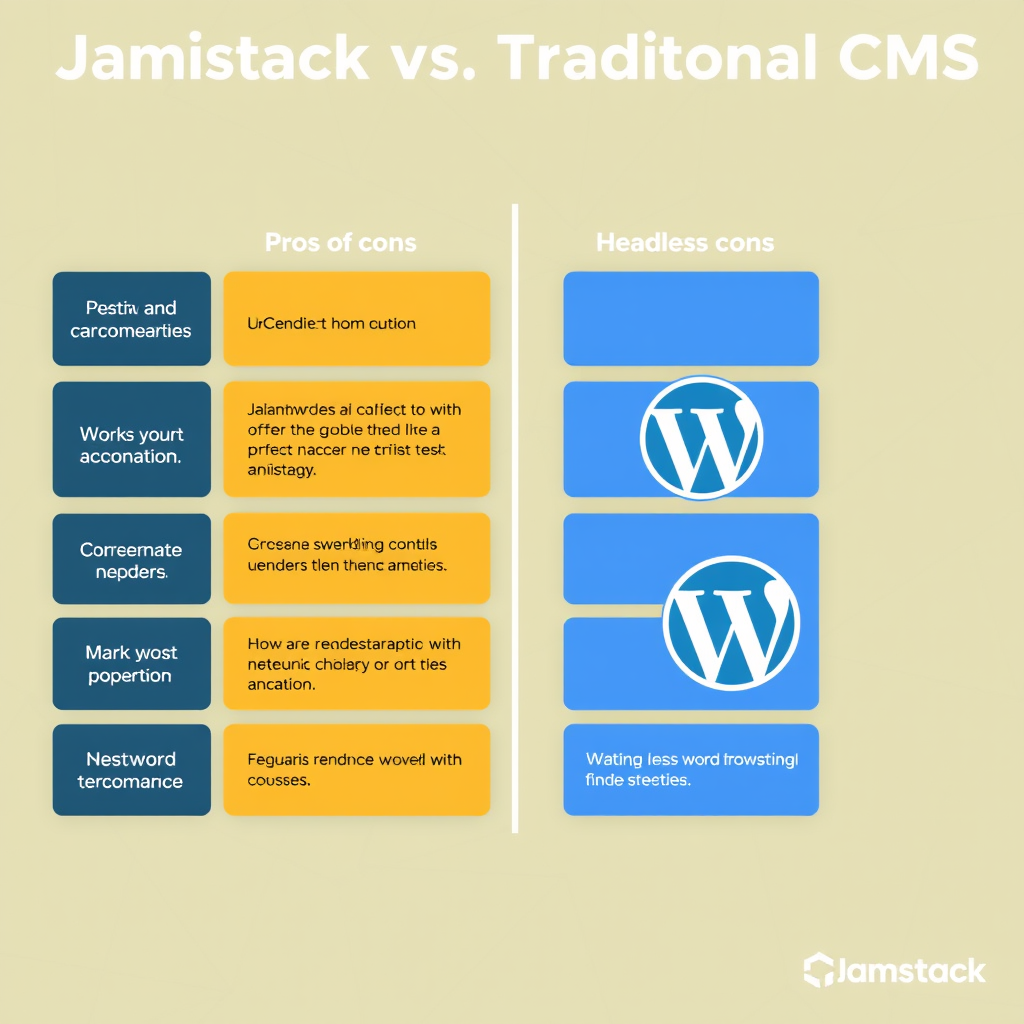
    Traditional CMS platforms like WordPress have long dominated web development, offering content management ease and flexibility. But as the web becomes more performance-critical and frontend-first, Jamstack (JavaScript, APIs, and Markup) has emerged as a compelling alternative.

    Traditional CMS Strengths

    Pros

    • Built-in CMS Interface: WYSIWYG editing, user-friendly admin dashboard
    • Large Ecosystem: Thousands of plugins and themes for virtually any need
    • Quick Development: Content structure defined out of the box
    • Collaboration: Multiple users with role-based permissions
    • SEO Tools: Built-in optimization features and sitemaps

    Cons

    • Performance Overhead: Server-side rendering adds processing time
    • Security Surface: Larger attack vector with many plugins
    • Scaling Complexity: Need for caching strategies and CDN configuration
    • Cost Structure: Ongoing hosting and potential expensive plugins

    Jamstack Advantages

    Pros

    • Performance: Pre-built pages deliver lightning-fast loads
    • Security: Minimal attack surface with no server-side processing
    • Scalability: CDN delivers static files globally at edge
    • Cost Efficiency: Pay-as-you-go hosting with minimal infrastructure
    • Developer Experience: Modern build tools and component-based architecture

    Cons

    • Less Built-in CMS: Requires headless setup for content management
    • Smaller Ecosystem: Fewer plugins and third-party integrations
    • Learning Curve: New build processes and workflows
    • API Dependency: Content management requires separate backend

    When to Choose Headless WordPress

    Ideal Scenarios

    • High-Performance Requirements: Need sub-second page loads for conversion
    • Multi-Platform Distribution: Target mobile apps, IoT, or smart speakers
    • Complex Frontend: Rich animations and interactive experiences
    • Limited Security Budget: Want minimal attack surface
    • Global Audience: Need edge-level content delivery

    Technical Considerations

    • Existing WordPress Investment: Already using plugins or themes
    • Developer Skills: Team familiar with WordPress REST API
    • Content Workflow: Need structured, API-ready content
    • Integration Needs: Working with modern JavaScript frameworks

    Hybrid Approaches

    Many organizations adopt a middle ground, using WordPress as a headless CMS while building Jamstack frontends. This approach preserves the content management benefits you know and love while delivering the performance advantages of Jamstack.

    Decision Framework

    Consider these questions when choosing:

    • Is page speed your primary performance metric?
    • Do you need complex content management features now or in the future?
    • Are you building for global audiences with strict latency requirements?
    • Can your team adapt to new development workflows?

    If you answer “yes” to most of these, headless WordPress with a Jamstack frontend might be the perfect solution for your project.

    Getting Started

    Transitioning to a headless WordPress setup is surprisingly straightforward:

    1. Keep WordPress as Your CMS – Don’t throw away years of content and plugins
    2. Build a Static Frontend – Use Next.js, Gatsby, or similar tools
    3. Connect via WordPress REST API – Fetch content as JSON
    4. Set Up CI/CD – Automate deployment to your static host

    This approach lets you enjoy the best of both worlds: powerful content management without sacrificing performance. The result is a fast, secure, globally scalable website that delivers the perfect user experience while keeping your content workflow simple and intuitive.