Blog

  • Three.js for Web Development: Creating 3D Experiences

    Three.js for Web Development: Creating 3D Experiences

    Three.js has emerged as one of the most powerful and accessible libraries for creating 3D experiences on the web. This JavaScript library transforms the complex world of WebGL into an intuitive API that developers can use to build stunning visualizations, interactive presentations, and immersive web applications without needing deep knowledge of WebGL’s underlying OpenGL ES syntax.

    Why Three.js Matters for Modern Web Development

    In today’s digital landscape, users expect rich, interactive experiences that go beyond traditional 2D web interfaces. Three.js enables developers to create three-dimensional environments that captivate audiences and differentiate their web applications from competitors. Whether you’re building a product showcase, educational content, or an interactive art installation, Three.js provides the tools to bring your vision to life in the browser.

    Getting Started with Three.js

    The beauty of Three.js lies in its simplicity. To create a basic 3D scene, you only need to include the library and set up a few fundamental components: a scene, a camera, and a renderer. Here’s a minimal example:

    <script src="https://cdnjs.cloudflare.com/ajax/libs/three.js/r128/three.min.js"></script> <script> // Create a scene const scene = new THREE.Scene(); // Set up a camera const camera = new THREE.PerspectiveCamera(75, window.innerWidth / window.innerHeight, 0.1, 1000); camera.position.z = 5; // Create a geometry const geometry = new THREE.BoxGeometry(1, 1, 1); const material = new THREE.MeshBasicMaterial({ color: 0x00ff00 }); const cube = new THREE.Mesh(geometry, material); scene.add(cube); // Set up the renderer const renderer = new THREE.WebGLRenderer(); renderer.setSize(window.innerWidth, window.innerHeight); document.body.appendChild(renderer.domElement); // Animate the cube cube.rotation.x += 0.01; cube.rotation.y += 0.01; // Render the scene renderer.render(scene, camera); </script>

    This example creates a rotating green cube, demonstrating the basic building blocks of any Three.js application. The library’s intuitive API allows you to create more complex shapes like spheres, cones, and custom geometries, apply materials with different visual properties, and add lighting to create realistic effects.

    Core Concepts in Three.js

    Understanding Three.js’s core concepts is essential for creating sophisticated 3D applications:

    • Scene: The container for all objects in your 3D world
    • Camera: The viewpoint through which users see your scene
    • Renderer: Converts 3D data into 2D pixels displayed on screen
    • Geometry: Defines the shape of 3D objects
    • Material: Determines how surfaces appear (color, texture, reflectivity)
    • Light: Illuminates your scene and creates realistic shadows
    • Animation: Updates object properties over time for dynamic effects

    Each of these components works together to create the final rendered image. The library also provides additional features like controls (orbit, trackball, fly), loaders for various 3D file formats, and post-processing effects.

    Real-World Applications of Three.js

    Three.js is being used across various industries for innovative web applications:

    • E-commerce: Interactive product viewers allow customers to examine items from multiple angles
    • Education: 3D models help students understand complex concepts in anatomy, science, and engineering
    • Architecture: Designers showcase building projects with realistic 3D walkthroughs
    • Art & Design: Digital artists create immersive installations and galleries
    • Games: Simple browser games combining 2D and 3D elements
    • Data Visualization: Complex datasets presented as interactive 3D charts and graphs

    The library’s versatility makes it suitable for projects ranging from simple demonstrations to complex commercial applications. Many popular websites, including those for major brands and museums, use Three.js to create memorable user experiences.

    Advanced Three.js Features

    As you become more comfortable with the basics, you can explore Three.js’s advanced capabilities:

    • Post-Processing: Apply visual effects like bloom, depth of field, and antialiasing
    • Physics Integration: Combine with physics engines like Cannon.js for realistic object interactions
    • Custom Shaders: Write GLSL shaders for custom visual effects
    • 3D Text: Create readable 3D text with proper extrusion and materials
    • Touch and Mouse Controls: Enable interaction through various input devices
    • Performance Optimization: Implement techniques like frustum culling and LOD (Level of Detail)

    These advanced features allow you to create professional-grade applications that rival native applications in terms of visual quality and interactivity.

    Getting the Most Out of Three.js

    Success with Three.js depends on more than just technical knowledge. Consider these best practices:

    • Performance Matters: 3D graphics are computationally expensive. Optimize your models, limit the number of objects, and use appropriate level of detail.
    • Progressive Loading: Use texture compression and implement loading screens for large assets.
    • Browser Compatibility: Test across different browsers and devices, especially mobile.
    • Accessibility: Ensure your 3D experiences are usable by all visitors, including those using assistive technologies.
    • User Experience: Don’t overwhelm users with too many 3D effects. Use them purposefully to enhance your message.

    By following these guidelines and continuously experimenting with Three.js’s capabilities, you’ll be able to create compelling 3D experiences that enhance your web development projects and delight your users.

    Conclusion

    Three.js has democratized 3D web development, making it accessible to developers of all skill levels. By leveraging this powerful library, you can create immersive experiences that push the boundaries of what’s possible on the web, transforming ordinary browser windows into gateways to interactive three-dimensional worlds.


  • WebGPU: The Next Generation of Web Graphics Programming

    WebGPU: The Next Generation of Web Graphics Programming

    WebGPU represents a significant leap forward in web graphics programming, offering developers unprecedented control over GPU-accelerated rendering and computation. Building upon the foundations of WebGL, WebGPU provides a modern, object-oriented API that bridges the gap between high-performance native applications and web-based experiences.

    What Is WebGPU and How Does It Work

    WebGPU is a JavaScript API that exposes modern GPU capabilities directly to web developers, allowing for low-level control over graphics processing without the limitations of the traditional WebGL pipeline. It uses a GPU-accelerated 3D graphics and computing API that provides a JavaScript interface to a platform’s GPU through the WebGPU DOM interface.

    At its core, WebGPU introduces a more intuitive programming model based on JavaScript objects representing GPU resources like adapters, devices, buffers, textures, and command encoders. This object-oriented approach makes it easier to understand and work with GPU resources compared to WebGL’s procedural style.

    Key Advantages Over WebGL

    WebGPU offers several compelling advantages over its predecessor:

    • More Intuitive API: WebGPU’s object-oriented design mirrors modern programming patterns, making it easier to learn and use effectively.
    • Full GPU Control: Access to modern GPU features like compute shaders, texture compression, and advanced rendering techniques previously unavailable in the browser.
    • JavaScript Integration: Native JavaScript integration allows for dynamic GPU resource management and easier debugging.
    • High Performance: Optimized for modern GPU architectures, delivering superior performance for graphics-intensive applications.
    • Future-Proof Design: Built to support upcoming GPU technologies and graphics standards.

    Real-World Use Cases

    WebGPU enables a wide range of applications that were previously impractical or impossible in the browser:

    • Real-time 3D graphics and WebGL alternatives for modern web applications
    • High-performance data visualization and scientific computing
    • Procedural content generation and generative art
    • Machine learning and AI computation directly in the browser
    • Complex physics simulations and game development
    • Advanced image processing and computer vision

    Getting Started with WebGPU

    Getting started with WebGPU involves understanding its core concepts:

    • GPU Adapter: The first step is to request a GPU adapter from the navigator
    • GPU Device: Create a GPU device from the adapter for actual operations
    • Resources: Create and manage GPU buffers, textures, and pipelines
    • Command Encoding: Build command buffers to instruct the GPU on what to render
    • Rendering: Submit commands to the GPU queue for execution

    The Developer Experience

    WebGPU significantly improves the developer experience compared to WebGL. The modern API design reduces boilerplate code, provides better error messages, and offers more intuitive resource management. JavaScript’s dynamic nature allows for easier debugging and experimentation with GPU operations.

    Browser support is gradually expanding, with major browsers like Chrome, Edge, and Firefox already implementing WebGPU. This growing ecosystem ensures developers can rely on the technology for production applications.

    Future Implications

    WebGPU represents a fundamental shift in web development, potentially redefining what’s possible in the browser. As GPU capabilities continue to advance, WebGPU will unlock new categories of web applications that currently require native compilation.

    The convergence of WebGPU with WebML, WebAssembly, and other web technologies could create a new era where complex, high-performance web applications become the norm rather than the exception. This democratization of GPU power will level the playing field for developers worldwide.

    As WebGPU matures and browser support becomes universal, developers who embrace this technology early will gain a significant competitive advantage, creating experiences that push the boundaries of what’s possible on the web.

  • AI-Driven Web Development: Tools and Best Practices

    AI-Driven Web Development: Tools and Best Practices

    AI is transforming web development at every stage of the development lifecycle. From code generation and debugging to optimization and testing, artificial intelligence tools are helping developers build faster, better, and more efficiently than ever before. This comprehensive guide explores the essential AI tools and best practices that modern web developers need to know to stay competitive in today’s rapidly evolving industry.

    AI Tools for Development Workflow Automation

    The foundation of AI-driven development starts with tools that automate repetitive tasks and enhance productivity. AI-powered code generators like GitHub Copilot, Cursor, and Tabnine can autocomplete code, generate entire functions, and suggest implementations based on context. These tools learn from millions of open-source projects and can help developers write cleaner, more efficient code faster.

    For testing and debugging, AI tools like CodeGuru, Snyk, and DeepCode analyze code for security vulnerabilities, performance bottlenecks, and potential bugs. These systems use machine learning to identify patterns in millions of codebases to predict issues before they become problems in production.

    Essential AI Development Environments

    Modern AI-powered development environments combine traditional IDE features with intelligent assistance. VS Code with AI extensions, JetBrains IDEs with built-in AI features, and specialized tools like Tabnine provide real-time code suggestions, documentation generation, and refactoring assistance. These environments learn your coding style and project context to provide more relevant suggestions.

    AI-assisted version control systems like GitHub Copilot for CLI and ReFlow help with Git operations, branch management, and commit message generation. These tools can suggest optimal commit strategies and help resolve merge conflicts intelligently.

    AI Tools for Performance Optimization and Monitoring

    Performance optimization is where AI really shines. Tools like Lighthouse CI, PageSpeed Insights API, and Calibre use machine learning to analyze performance patterns and suggest optimizations. AI-driven monitoring platforms such as Datadog, New Relic, and Sentry AI provide predictive analytics that can identify performance degradation before users notice it.

    For runtime optimization, AI engines like Cloudflare Workers AI and Fastly’s Edge AI enable real-time processing and optimization at the edge. These platforms can dynamically optimize images, minify CSS, and even implement A/B testing strategies based on user behavior patterns.

    AI-Enhanced Testing and Quality Assurance

    Quality assurance has been revolutionized by AI testing tools. Playwright AI and Cypress AI generate test cases automatically based on user flows and application behavior. Visual regression testing tools like Percy and Applitools use computer vision and AI to detect UI changes and ensure consistent user experiences across different devices and browsers.

    For API testing, AI tools like Postman AI generate test cases, mock responses, and predict API behavior based on historical data. These tools can also identify breaking changes and suggest updates to your test suite.

    Best Practices for AI Integration in Development

    While AI tools offer incredible power, they require thoughtful integration into development workflows. Start by establishing clear guidelines for when to use AI-generated code versus when to write it manually. Always review AI suggestions carefully and understand the context before implementing them.

    Maintain code quality standards by implementing pre-commit hooks that run AI tools through linting and validation pipelines. Create version control strategies that track AI-generated code separately from human-written code for easier maintenance and rollback options.

    Invest in training your team on effective AI tool usage. Not all developers need to master every AI tool, but understanding the capabilities and limitations of each tool will help teams make better decisions about when and how to use them.

    Security Considerations in AI-Driven Development

    AI integration introduces new security considerations. Always review AI-generated code for security vulnerabilities, as AI models can sometimes generate insecure code. Use AI-powered security tools to scan for vulnerabilities in both your code and AI-generated dependencies.

    Consider the data privacy implications of using third-party AI services. Some AI tools process your code and project data on external servers. For sensitive projects, consider self-hosted AI alternatives or ensure your usage terms align with your security requirements.

    The Future of AI in Web Development

    The next wave of AI tools will focus on even more sophisticated capabilities. Look for AI systems that can handle complex architectural decisions, suggest complete application patterns, and provide real-time code refactoring at scale. As AI continues to evolve, the focus will shift from assistance to augmentation.

    Developers who embrace AI tools strategically will gain significant competitive advantages. The key is to view AI as a partner that enhances human creativity and problem-solving, not as a replacement for human developers. By combining human intuition with AI-powered analysis and automation, we can build more innovative, secure, and performant web applications than ever before.

  • Cloud Native Architecture: Microservices Patterns for Modern Applications

    Cloud Native Architecture: Microservices Patterns for Modern Applications

    Cloud native architecture has revolutionized how modern applications are built, deployed, and scaled. By embracing microservices patterns, organizations can create systems that are more resilient, scalable, and maintainable than traditional monolithic approaches. This comprehensive guide explores the essential patterns and best practices for implementing cloud native microservices in today’s rapidly evolving tech landscape.

    Understanding Cloud Native Microservices

    Cloud native microservices break down complex applications into smaller, independent services that each have a single responsibility. This architectural approach enables teams to develop, deploy, and scale services independently, allowing for faster iteration cycles and better resource utilization. The key principles of cloud native microservices include:

    • Service independence and autonomy
    • Scalability at the service level
    • Resilience through isolation
    • Technology heterogeneity
    • Continuous deployment readiness

    Essential Microservices Patterns

    Successful microservices architectures rely on proven design patterns that address common challenges in distributed systems. Here are the most critical patterns every cloud native developer should master:

    Strangler Fig Pattern

    The strangler fig pattern represents a gradual migration strategy where new microservices are incrementally introduced alongside existing monoliths. New functionality is routed through the new services while legacy code continues to handle requests. This approach minimizes risk and allows teams to adopt cloud native practices at their own pace.

    CQRS (Command Query Responsibility Segregation)

    CQRS separates read and write operations into different models, allowing each to be optimized for its specific use case. Command operations modify data through dedicated command handlers, while query operations read data through specialized query handlers. This pattern enables better performance tuning and can improve scalability for applications with complex data access patterns.

    Event-Driven Architecture

    Event-driven architecture enables loose coupling between microservices through asynchronous communication. Services emit events when state changes occur, and other services react to these events independently. This approach provides better scalability, resilience, and real-time data processing capabilities, making it ideal for modern, responsive applications.

    Service Mesh Implementation

    Service meshes provide a dedicated infrastructure layer for managing service-to-service communication in microservices architectures. By implementing a service mesh, organizations can achieve better observability, traffic management, and security without modifying application code. Popular service mesh solutions like Istio and Linkerd offer advanced routing, load balancing, and failure recovery capabilities.

    Observability and Resilience Patterns

    Building resilient, observable microservices requires implementing patterns that help teams understand system behavior and recover from failures. Key patterns include:

    • Circuit breakers to prevent cascading failures
    • Retries with exponential backoff for transient errors
    • Timeouts to prevent resource exhaustion
    • Graceful degradation for critical services
    • Comprehensive logging and metrics collection

    Security Best Practices

    Security in microservices environments requires a zero-trust approach, where every service must authenticate and authorize access independently. Implementing proper authentication mechanisms like OAuth 2.0 and OpenID Connect, along with service-to-service authentication, ensures secure communication across distributed systems. API gateway patterns provide centralized security enforcement and rate limiting.

    Future Trends in Cloud Native Architecture

    The cloud native ecosystem continues to evolve rapidly. Emerging trends like serverless architectures, serverless containers, and AI-driven automation are shaping the future of microservices development. Companies that stay current with these trends will be better positioned to build competitive, innovative applications that meet user needs efficiently and effectively.

    Cloud native architecture and microservices patterns represent the future of modern application development. By adopting these patterns thoughtfully and implementing them with care, organizations can build systems that are not only technically superior but also business-aligned and future-proof. The journey to cloud native excellence requires continuous learning, adaptation, and commitment to architectural excellence.

  • The Evolution of Progressive Web Apps: What’s New in 2024

    The Evolution of Progressive Web Apps: What’s New in 2024

    The Progressive Web App (PWA) revolution has accelerated dramatically over the past year. What’s new in 2024 represents a quantum leap from the early days when PWAs were experimental novelties, and they now power some of the most ambitious web experiences in production.

    Offline-First Experience Has Become Seamless

    Early PWAs struggled with true offline functionality. Today, 2024’s PWAs leverage Service Workers with sophisticated caching strategies that make offline experiences indistinguishable from online ones. Modern PWAs can:

    • Pre-cache critical application shell during initial load
    • Intelligently cache API responses based on usage patterns
    • Implement background sync for failed network requests
    • Provide instant loading from previous session state

    Native-Like Capabilities Expanded Beyond Basics

    The 2024 PWA ecosystem now supports capabilities that were unimaginable just two years ago:

    • Background Tasks: PWAs can perform complex operations while the app runs in the background
    • File System Access: Modern browsers allow secure file reading and writing from PWAs
    • USB/BLE peripherals: Direct hardware communication capabilities
    • Shared Web Workers: Multi-process architectures for CPU-intensive tasks
    • Advanced Push Notifications: Rich notification experiences with custom actions

    Performance Optimization Gone Nuclear

    2024 brings revolutionary performance improvements that make PWAs competitive with native applications:

    • WebGPU Integration: Direct GPU access for graphics-intensive applications
    • Structural Profiling: Automatic code splitting and optimization based on usage analytics
    • Edge Runtime Integration: Running PWA logic at the edge for sub-50ms response times
    • Advanced Compression: Brotli+Zstd hybrid compression for near-zero bandwidth usage
    • Zero-Update Deployments: Instant feature rollouts without app store approval cycles

    The Rise of Hybrid Architecture Patterns

    PWAs are no longer one-size-fits-all solutions. 2024 sees the emergence of sophisticated hybrid patterns:

    • PWA-First Development: Building progressive enhancement starting with web capabilities
    • Native Bridge Integration: Seamless handoff between PWA and native apps where needed
    • Edge-PWA Combinations: Server-rendered PWA shells with client-side enhancement
    • Micro-Frontend PWAs: Modular architecture with independent PWA modules
    • Cross-Platform PWA Toolchains: Unified development workflows for web, Android, and iOS

    User Experience Evolution: Context-Aware Interactions

    Modern PWAs understand context and adapt intelligently:

    • Adaptive Performance: Automatically optimizes based on network conditions and device capabilities
    • Personalization Engines: AI-driven content and UI adaptation based on user behavior
    • Progressive Enhancement: Graceful degradation to native apps when web capabilities reach their limits
    • Seamless Online/Offline Transitions: Instant recovery from connectivity changes without user intervention

    Key Takeaways for Developers

    The evolution of PWAs in 2024 isn’t just about adding features—it’s about fundamentally changing how we think about web applications. Key takeaways include:

    • Start PWA-Native: Design assuming full PWA capabilities from day one
    • Performance as Priority: PWAs now deliver native-like performance as a baseline expectation
    • Offline is Non-Negotiable: Users now expect instant, reliable access regardless of connectivity
    • Progressive Enhancement Strategy: Build with web first, then enhance to native where needed
    • Developer Experience Matters: 2024 toolchains have eliminated many of the earlier PWAs’ development pain points

    Looking Ahead: What’s Next for PWAs

    The 2024 PWA landscape sets the stage for what comes next. WebGPU integration is just the beginning, with WebXR and spatial computing likely to follow. As browsers continue to implement the Web Platform API recommendations, PWAs are evolving from enhanced web apps to true platform alternatives.

    The future belongs to developers who embrace PWAs as a first-class architecture choice, not an afterthought. 2024 marks the year PWAs matured from experimental novelties to production-ready platforms that can power everything from simple blogs to complex business applications.

  • Cybersecurity Essentials for Web Developers: Beyond the Basics

    Cybersecurity Essentials for Web Developers: Beyond the Basics

    Cybersecurity Essentials for Web Developers: Beyond the Basics

    As web developers, we often focus on creating beautiful, functional user experiences. However, in today’s digital landscape, cybersecurity has become an essential part of our responsibility set. It’s no longer sufficient to just build great applications—we must also build secure ones that protect our users’ data and maintain their trust.

    Security as a Development Mindset

    The first step toward better security is changing how we approach development. Security shouldn’t be an afterthought or a checklist item—it’s a fundamental mindset that needs to be integrated into every phase of development.

    Secure Development Lifecycle

    Implement security practices throughout the entire development lifecycle:

    • Design Phase: Threat modeling and architecture security review
    • Implementation Phase: Secure coding practices and input validation
    • Testing Phase: Automated security scanning and manual penetration testing
    • Deployment Phase: Secure configuration and monitoring setup
    • Maintenance Phase: Regular updates and vulnerability management

    Core Security Principles

    Master these fundamental security principles that form the foundation of any robust security strategy:

    Zero Trust Architecture

    Never trust any user or system component, regardless of their location. Verify every request and enforce least privilege access controls. This principle applies to both authentication and data access.

    Defense in Depth

    Implement multiple layers of security controls. If one layer fails, others should still protect your application. This includes network security, application security, data encryption, and monitoring.

    Least Privilege

    Grant users, services, and processes only the minimum permissions necessary to perform their functions. Regularly audit and review access rights to ensure they remain appropriate.

    Essential Security Implementation

    Authentication and Authorization

    Authentication: Implement multi-factor authentication (MFA) for all user accounts. Use strong password policies and protect against brute force attacks with account lockout mechanisms.

    Authorization: Use role-based access control (RBAC) and implement the principle of least privilege. Regularly review permissions and ensure proper separation of duties.

    Input Validation and Sanitization

    Never trust user input. Validate all input against strict whitelists of allowed characters and formats. Sanitize output to prevent cross-site scripting (XSS) and injection attacks.

    Cryptographic Controls

    Encrypt sensitive data at rest and in transit. Use industry-standard encryption algorithms and maintain proper key management practices. Implement HTTPS everywhere and use secure cookies with HttpOnly and Secure flags.

    Advanced Security Measures

    Once you master the basics, implement these advanced security measures:

    API Security

    Secure your APIs with proper authentication (OAuth 2.0, JWT tokens), rate limiting, and input validation. Implement API gateways to centralize security policies and monitor API usage.

    Content Security Policy (CSP)

    Implement CSP to prevent XSS attacks by controlling where resources can be loaded from. Use nonces and hashes to allow legitimate scripts while blocking unauthorized ones.

    Security Headers

    Implement security headers like X-Frame-Options, X-XSS-Protection, Referrer-Policy, and Strict-Transport-Security to protect against various attack vectors. Regularly test your security posture with tools like OWASP ZAP or Burp Suite.

    Security Testing and Monitoring

    Security is an ongoing process, not a one-time task. Implement continuous testing and monitoring:

    • Static Application Security Testing (SAST): Analyze source code for vulnerabilities during development
    • Dynamic Application Security Testing (DAST): Test running applications for security vulnerabilities
    • Dependency Scanning: Regularly update and scan third-party libraries for known vulnerabilities
    • Intrusion Detection/Prevention Systems: Monitor for suspicious activity and potential attacks
    • Audit Logging: Log security-relevant events for forensic analysis and compliance
    • Security Information and Event Management (SIEM): Centralized security monitoring and alerting

    Emerging Threats and Future-Proofing

    The cybersecurity landscape is constantly evolving. Stay ahead of threats by understanding emerging challenges:

    • AI-Powered Attacks: Prepare for AI-generated phishing and automated vulnerability discovery
    • Supply Chain Attacks: Secure your dependencies and third-party integrations
    • Quantum Computing: Begin planning for post-quantum cryptography
    • Zero-Day Vulnerabilities: Implement defense-in-depth to mitigate unknown threats
    • IoT Security: Consider security for connected devices and APIs

    Building a Security-First Culture

    The most effective security strategy starts with culture. Train your team on security best practices, foster a security-conscious mindset, and create processes that make secure choices the easiest choices.

    Remember: security is everyone’s responsibility. By integrating security into your development process, staying informed about emerging threats, and continuously improving your security posture, you can build applications that not only serve users well but also protect them in an increasingly dangerous digital world.

    Start implementing these essentials today—your users’ security depends on it.

  • Modern JavaScript Frameworks: Choosing the Right Tool for Your Project

    Modern JavaScript Frameworks: Choosing the Right Tool for Your Project

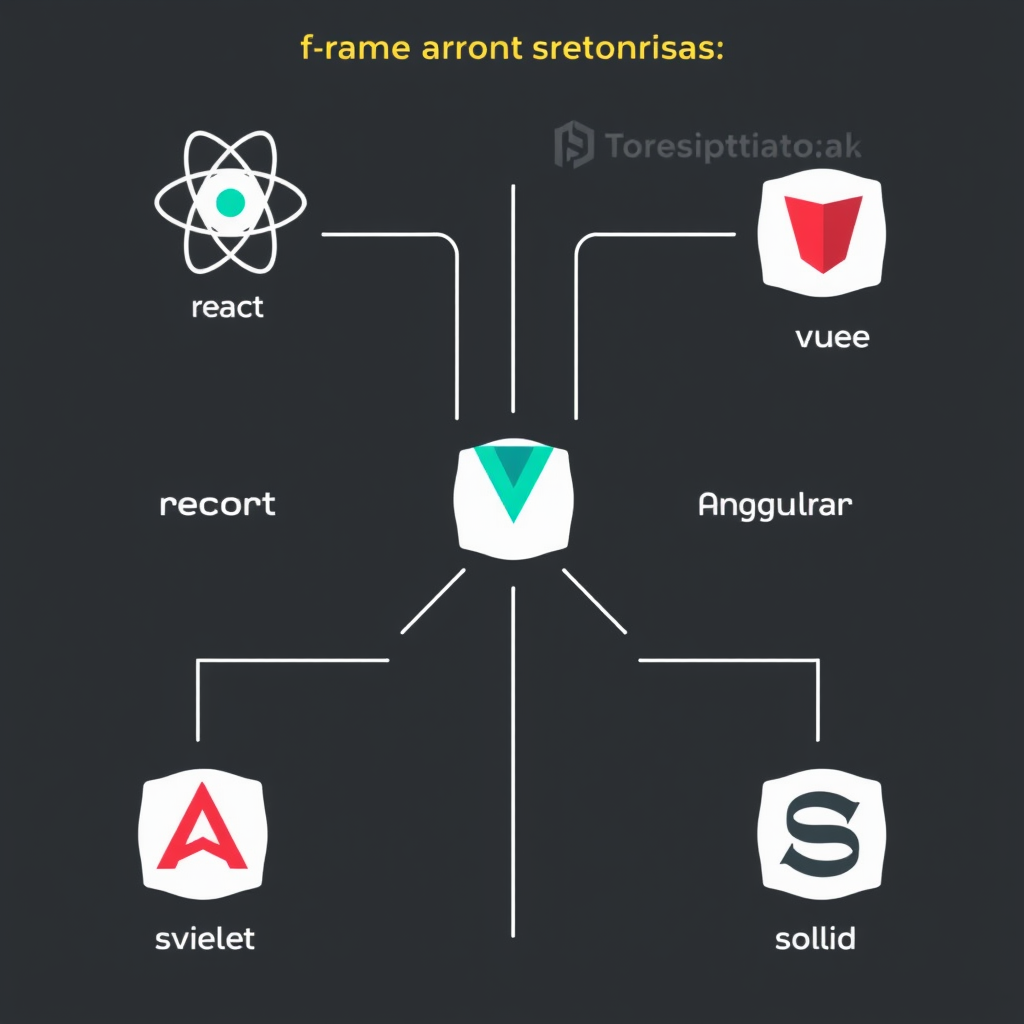
    Choosing the right JavaScript framework for your project is one of the most critical decisions you’ll make as a web developer. With so many options available—React, Vue, Angular, Svelte, Solid, and emerging alternatives—it’s easy to feel overwhelmed. This comprehensive guide will help you navigate the landscape and make an informed decision based on your specific project requirements, team expertise, and long-term goals.

    What Makes a Framework the Right Choice

    Before diving into specific frameworks, consider these key factors that determine whether a framework is the right fit for your project:

    Project Scale and Complexity

    Small landing pages and simple applications might not need the complexity of a full-featured framework. Large-scale enterprise applications with multiple components, state management, and complex data flow requirements demand robust solutions with comprehensive ecosystems.

    Team Experience and Learning Curve

    Your team’s existing JavaScript skills significantly impact framework choice. A team already proficient in vanilla JavaScript might prefer a framework with minimal learning curve, while teams willing to invest time in learning new patterns might opt for more powerful but complex solutions.

    Performance Requirements

    Performance considerations vary by project type. Real-time applications, data visualization tools, and gaming applications require exceptional runtime performance. Content-heavy sites might prioritize initial load time and SEO considerations.

    Popular Modern Frameworks Compared

    React (Facebook)

    React remains the dominant choice for complex applications. Its component-based architecture, massive ecosystem, and strong community support make it suitable for large-scale projects. React’s virtual DOM diffing algorithm provides excellent performance for dynamic interfaces. However, the ecosystem can be overwhelming with countless libraries to choose from, and the framework has evolved significantly over the years.

    Vue (Evan You)

    Vue offers the best of both worlds—simple enough for small projects while powerful enough for enterprise applications. Its incremental adoption model allows you to start with a few Vue components and gradually adopt the full framework. Vue’s reactivity system is more intuitive than React’s useState/useEffect pattern, making it easier to understand and implement.

    Angular (Google)

    Angular is a complete solution for enterprise applications. It provides everything out of the box—routing, state management, forms, testing, and more. Angular’s TypeScript-first approach and comprehensive documentation make it suitable for large teams with structured development processes. However, Angular has a steep learning curve and can be overkill for smaller projects.

    Svelte (Rich Harris)

    Svelte represents a paradigm shift by shifting compilation time work to build processes. Instead of virtual DOM diffing at runtime, Svelte compiles components to highly efficient imperative code. This results in smaller bundle sizes and better runtime performance. Svelte’s syntax is clean and intuitive, making it accessible to developers of all skill levels.

    Solid (Ryan Cavanagh)

    Similar to Svelte, Solid focuses on performance through compile-time optimizations. It maintains React-like APIs while providing excellent performance characteristics. Solid’s fine-grained reactivity system offers more control than Svelte’s broader reactivity model.

    Decision Framework

    Here’s a systematic approach to choosing your framework:

    • Assess your project requirements—size, complexity, performance needs
    • Evaluate your team’s JavaScript proficiency and willingness to learn
    • Consider your development timeline and deployment constraints
    • Research the framework’s long-term viability and community support
    • Evaluate the available tools and ecosystem for your specific needs
    • Consider the learning curve versus immediate productivity gains

    Framework-Specific Recommendations

    For Startups and Rapid Development

    Vue or Svelte typically offer the best starting points. Vue’s incremental adoption model allows you to ship quickly while maintaining flexibility for future growth. Svelte provides excellent performance with minimal complexity.

    For Enterprise Applications

    Angular provides the most comprehensive solution for large teams with structured processes. React remains a viable choice when paired with carefully selected supporting libraries and well-defined architectural patterns.

    For Performance-Critical Applications

    Svelte or Solid are excellent choices when performance is paramount. Both frameworks deliver exceptional runtime performance through compile-time optimizations, resulting in smaller bundles and faster applications.

    Future Considerations

    Framework choice isn’t just about today’s needs—consider long-term maintainability, team growth, and ecosystem evolution. Framework maturity, TypeScript support, and tooling integration all impact your project’s sustainability.

    Start with the right foundation, and your JavaScript application will be better positioned to evolve with changing requirements and technological advancements.

  • Understanding Web Vitals: Practical Guide to Page Speed Optimization

    Understanding Web Vitals: Practical Guide to Page Speed Optimization

    Web vitals are the metrics that measure user experience on the web, and they play a crucial role in determining your site’s success. Understanding and optimizing these metrics isn’t just about technical performance—it’s about creating experiences that users genuinely enjoy and that rank better in search results.

    Why Web Vitals Matter

    Web vitals directly impact multiple aspects of your website’s performance and user engagement. These metrics measure what really matters to users: loading speed, interactivity, and visual stability. Google has made Core Web Vitals official ranking factors, meaning your vitals scores can directly affect your search visibility and traffic.

    When visitors experience fast, smooth interactions, they’re more likely to stay on your site longer, convert, and return. Poor vitals scores lead to higher bounce rates, reduced user satisfaction, and lost revenue. The good news is that many common issues are easy to fix once you know what to look for.

    Core Web Vitals You Need to Know

    Largest Contentful Paint (LCP)

    Largest Contentful Paint measures when the main content of your page becomes visible to users. This metric reflects loading performance and directly impacts user perception of speed. Good performance is defined as LCP occurring within 2.5 seconds of page load start.

    Common LCP issues include large unoptimized images, render-blocking CSS/JavaScript, slow server response times, and third-party scripts that delay page rendering. To improve LCP, focus on optimizing images, implementing efficient caching strategies, and removing unnecessary JavaScript that blocks rendering.

    First Input Delay (FID)

    First Input Delay measures the time from when a user first interacts with your page to when the browser responds. This metric captures interactivity and user experience during page loading. Ideally, FID should be under 100 milliseconds.

    High FID scores typically result from main thread work that blocks user interactions, including heavy JavaScript executions, long-running tasks, and inefficient resource loading. To optimize FID, break up long-running JavaScript, defer non-critical scripts, and use web workers for intensive computations.

    Cumulative Layout Shift (CLS)

    Cumulative Layout Shift measures unexpected layout shifts that occur during page loading, which can cause users to accidentally click on wrong elements. This metric reflects visual stability and should ideally stay under 0.1.

    CLS happens when elements on your page change size or position without warning, often due to images without dimensions, dynamically loaded content, or late-loading fonts. To reduce CLS, always specify image dimensions, use placeholder elements for lazy-loaded content, and ensure fonts are preloaded.

    Practical Optimization Strategies

    Start with Performance Audits

    Regular performance audits are essential for maintaining good vitals scores. Use tools like Google PageSpeed Insights, Lighthouse, or Web Vitals Extension to identify specific issues. Focus on fixing the metrics that are closest to failing first, as these provide the biggest impact on user experience.

    Optimize Your Images

    Images are often the largest source of performance issues on modern websites. Use modern image formats like WebP or AVIF, serve appropriately sized images, and implement responsive image techniques. Always specify width and height attributes to prevent layout shifts.

    Consider using image CDNs for automatic optimization, lazy loading for below-the-fold images, and next-gen compression techniques. For critical above-the-fold images, use modern format conversion and compression to maintain quality while reducing file size.

    Master Caching Strategies

    Effective caching dramatically improves all three Core Web Vitals. Implement browser caching with appropriate TTL values, use server-side caching for dynamic content, and leverage CDN caching for static assets. The key is caching at every layer of your stack.

    For LCP optimization, focus on server response caching and CDN edge caching. For FID, consider client-side caching of critical resources. Always serve fresh content when updates occur while maintaining cached copies for repeat visitors.

    Streamline Your JavaScript

    JavaScript optimization impacts both FID and overall page performance. Break up long-running tasks, use code splitting to load only what’s needed, and defer non-critical scripts. Modern techniques like async/defer attributes and dynamic imports can significantly improve interactivity.

    Consider moving intensive computations to web workers, use debouncing for resize/scroll events, and eliminate unnecessary third-party scripts that can significantly delay page interactivity. Always measure before optimizing to identify the real bottlenecks.

    Focus on Font Performance

    Custom fonts can cause layout shifts and affect user experience significantly. Use font-display: swap or font-display: optional to ensure text is visible immediately while custom fonts load. Preload critical fonts and limit the number of custom font families.

    Consider using system fonts for body text where appropriate, and only use custom fonts for branding or special design needs. Optimize your font files by using subsetting and compression techniques to reduce file sizes.

    Measurement and Monitoring

    Once you start optimizing, you need reliable ways to measure your progress. Set up automated monitoring to catch regressions before they impact users. Web vitals are not one-time measurements—they need continuous monitoring as your site evolves.

    Implement real-user monitoring (RUM) alongside synthetic testing to get a complete picture of your actual user experience. Track trends over time and set alert thresholds for when vitals start to degrade. Remember that different pages may have different targets based on their specific content and user expectations.

    Key Performance Indicators

    Monitor these key metrics as you optimize your site:

    • Average and 75th percentile LCP across different devices and network conditions
    • 95th percentile FID to catch worst-case scenarios
    • Total CLS score to identify problematic pages
    • Conversion rates and user engagement metrics

    Real-World Success Stories

    Companies that prioritize web vitals see tangible results. An e-commerce site improved its conversion rate by 15% after optimizing LCP and reducing page load times by 2 seconds. A news publisher saw a 30% increase in page views per session after fixing CLS issues that were causing user frustration.

    A SaaS company reduced their support tickets by 25% after addressing FID issues that were making their dashboard feel unresponsive. These improvements aren’t just technical—they directly impact business metrics and user satisfaction.

    Common Pitfalls to Avoid

    While optimizing web vitals, be careful of common mistakes that can make things worse. Don’t rely solely on one tool for optimization—different tools may flag different issues. Avoid over-optimizing for technical metrics at the expense of user experience.

    Never implement aggressive caching that serves stale content when updates are needed. Also, don’t use resource-hogging optimization techniques that hurt overall performance. Always measure actual impact before and after changes, and prioritize fixes based on actual user impact.

    Getting Started Today

    Start your web vitals optimization journey by running a performance audit of your most important pages. Identify your biggest issues using tools like Google PageSpeed Insights or Lighthouse, and prioritize fixes based on their impact on user experience and business metrics.

    Begin with the biggest wins—usually image optimization and caching improvements. Implement changes incrementally, measure impact after each change, and build a comprehensive optimization plan that addresses all three Core Web Vitals. Remember that web vitals optimization is an ongoing process, not a one-time project.

    By focusing on understanding and improving your web vitals, you’ll create a faster, more reliable website that users love and search engines reward. Start today and see the difference in your user engagement and business results.

  • Modern Browser APIs Every Web Developer Should Know

    Modern Browser APIs Every Web Developer Should Know

    Introduction: Why Modern Browser APIs Matter

    Modern browsers are no longer just about rendering web pages—they’ve become powerful platforms that provide developers with a rich set of APIs for building sophisticated, performant, and secure web applications. Understanding these APIs is essential for any web developer who wants to create cutting-edge web experiences that push the boundaries of what’s possible in the browser.

    Key Modern Browser APIs You Should Master

    1. Web Workers API – Parallel Processing in the Browser

    The Web Workers API allows you to run JavaScript code in background threads, preventing UI freezing and enabling complex computations without blocking the main thread. This is crucial for applications that perform heavy processing, such as image manipulation, data analysis, or real-time data processing.


    const worker = new Worker(‘worker.js’); worker.postMessage({data: largeDataset}); worker.onmessage = (event) => { console.log(‘Processed result:’, event.data); };

    2. Service Workers API – Offline-First Applications

    Service Workers give you complete control over the caching and request handling of web resources. They’re the foundation of Progressive Web Apps (PWAs) and enable features like offline access, background synchronization, and push notifications.


    if (‘serviceWorker’ in navigator) { navigator.serviceWorker.register(‘/sw.js’) .then(registration => console.log(‘Service Worker registered’)) .catch(error => console.error(‘Service Worker registration failed:’, error); }

    3. WebAssembly API – High-Performance Computing

    WebAssembly (Wasm) is a binary instruction format that runs alongside JavaScript, enabling near-native performance for computationally intensive tasks. It’s perfect for 3D graphics, cryptography, video processing, and machine learning.


    WebAssembly.instantiateStreaming(fetch(‘module.wasm’)) .then(results => { const { instance } = results; console.log(‘Wasm function result:’, instance.exports.compute(42)); });

    4. Intersection Observer API – Efficient Element Detection

    The Intersection Observer API provides an efficient way to monitor when elements enter or exit the viewport, eliminating the need for scroll event listeners that cause performance issues. This is essential for lazy loading images and animations.


    const observer = new IntersectionObserver((entries) => { entries.forEach(entry => { if (entry.isIntersecting) { console.log(‘Element visible:’, entry.target); observer.unobserve(entry.target); } }); }); observer.observe(document.querySelector(‘.lazy-image’));

    5. Fetch API – Modern HTTP Client

    The Fetch API provides a modern, promise-based interface for making HTTP requests. It’s cleaner and more powerful than XMLHttpRequest, with built-in support for headers, request bodies, and response types.


    async function fetchData(url) { try { const response = await fetch(url); if (!response.ok) throw new Error(‘Network response was not ok’); return await response.json(); } catch (error) { console.error(‘Fetch error:’, error); } }

    6. Custom Elements API – Reusable Web Components

    Custom Elements allow you to create reusable, self-contained web components with their own behavior and style. These components are encapsulated, lifecycle-aware, and don’t interfere with other parts of your application.


    class CustomButton extends HTMLElement { constructor() { super(); this.attachShadow({ mode: ‘open’ }); } connectedCallback() { this.shadowRoot.innerHTML = ` `; } } customElements.define(‘custom-button’, CustomButton);

    7. Clipboard API – Text Manipulation

    The Clipboard API provides programmatic access to the system clipboard, allowing users to copy, cut, and paste content with a single click or programmatically. This enhances user experience in text editors and data-heavy applications.


    navigator.clipboard.writeText(‘Hello, World!’) .then(() => console.log(‘Text copied to clipboard’)) .catch(err => console.error(‘Failed to copy:’, err));

    Advanced APIs for Sophisticated Applications

    Once you’re comfortable with the basics, explore these advanced APIs that enable even more powerful web experiences:

    • Web Speech API – Text-to-speech and speech recognition
    • MediaStream API – Access camera and microphone
    • WebXR Device API – Virtual and augmented reality
    • Battery API – Battery status and optimization
    • Geolocation API – Precise location services
    • Webcam API – Real-time video capture

    Best Practices When Working with Browser APIs

    While these APIs are incredibly powerful, it’s essential to use them responsibly:

    1. Fallback gracefully – Always provide alternatives for browsers that don’t support new APIs
    2. Monitor performance – Heavy APIs like Web Workers and WebAssembly can consume significant resources
    3. Respect user privacy – APIs accessing personal data (location, camera, microphone) require user permission
    4. Use sparingly – Don’t overuse APIs just for the sake of using them; choose tools that solve your specific problem
    5. Test thoroughly – Browser compatibility varies, so test across different environments and devices

    Future-Proofing Your Skills

    The browser API landscape is constantly evolving. To stay relevant, developers should:

    • Follow browser release notes and specification updates
    • Experiment with experimental APIs in development environments
    • Join browser developer communities and contribute to specifications
    • Stay informed about web standards through resources like MDN and Web.dev
    • Build with progressive enhancement in mind

    Mastering modern browser APIs empowers you to build richer, more capable web applications that rival native apps in functionality and performance. Start exploring these APIs today, and you’ll have the foundation needed to create the next generation of web experiences.

  • Jamstack Architecture Deep Dive: Advanced Patterns and Best Practices

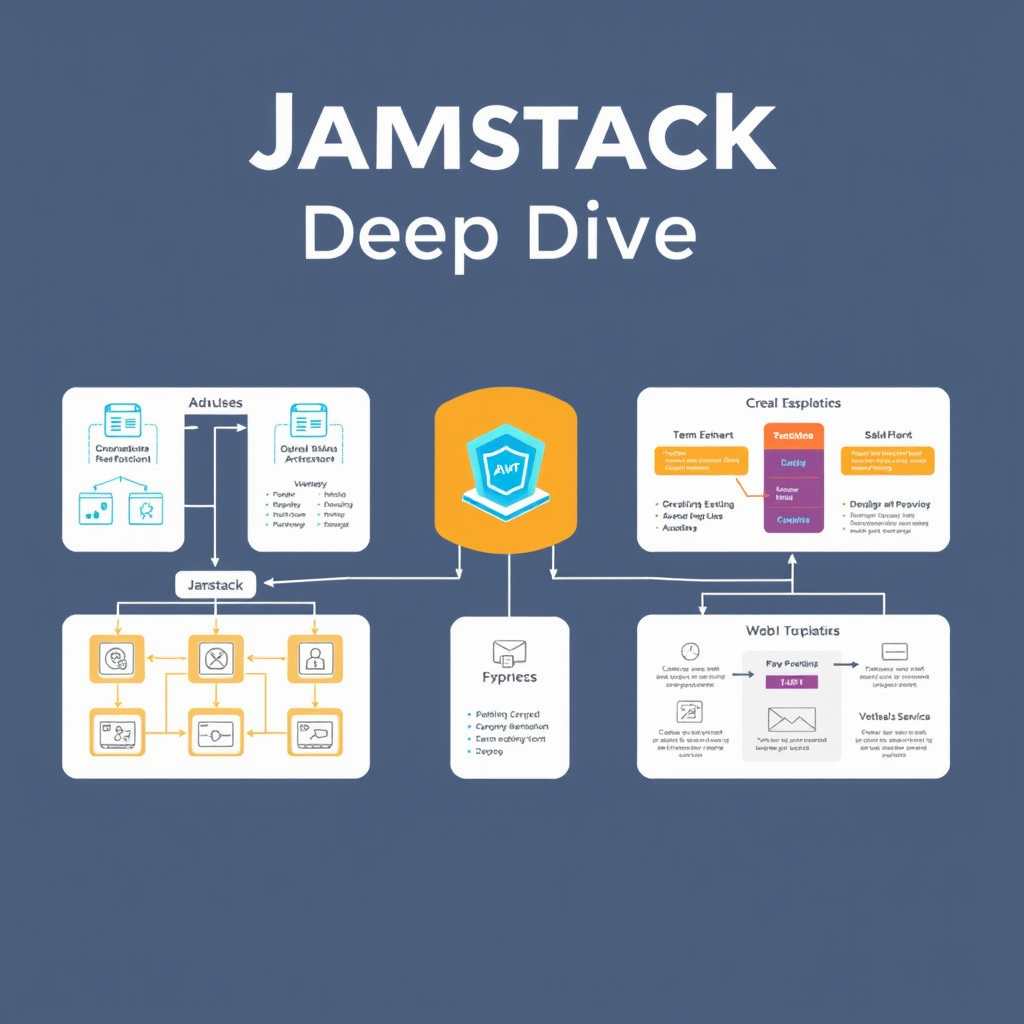
    Jamstack Architecture Deep Dive: Advanced Patterns and Best Practices

    Jamstack architecture has revolutionized modern web development, offering a performant, secure, and scalable approach that goes beyond the traditional client-server model. By decoupling content delivery from dynamic functionality, Jamstack enables developers to build websites that deliver exceptional user experiences while maintaining developer productivity.

    Core Jamstack Principles for Advanced Implementation

    At its foundation, Jamstack relies on three core principles: pre-rendered pages, serverless functions, and a delivery CDN. However, advanced implementation requires understanding how these components interact to create sophisticated architectures that handle complex requirements like authentication, real-time data, and multi-tenant scenarios.

    Pre-rendering Strategies Beyond Static Sites

    Modern Jamstack implementations go far beyond simple static site generation. Advanced pre-rendering techniques include incremental static regeneration (ISR), which allows selective updating of static pages without a full rebuild, and edge CDN caching strategies that ensure optimal performance across global locations. These approaches enable developers to maintain the benefits of static sites while handling dynamic content requirements.

    • Incremental Static Regeneration (ISR) for dynamic content updates
    • Edge CDN caching with intelligent invalidation strategies
    • Hybrid rendering models that combine SSG and SSR
    • Contentful frameworks optimized for performance

    Serverless Functions as Architectural Building Blocks

    Serverless functions serve as the backbone for dynamic functionality in Jamstack applications. Advanced patterns include function composition, where multiple small functions work together to handle complex business logic, and multi-tier serverless architectures that separate concerns like authentication, data processing, and external API integration.

    Key best practices for serverless functions include:

    • Function as a single business responsibility
    • Proper error handling and logging
    • Caching strategies at the edge
    • Circuit breakers and retries for external dependencies

    Advanced Authentication and Authorization Patterns

    Authentication in Jamstack applications requires careful consideration of security and user experience. Advanced patterns include token-based authentication with JWT, integration with third-party identity providers, and edge middleware for session management. These approaches ensure secure access while maintaining the performance benefits of edge delivery.

    Edge Middleware: The Secret Sauce of Modern Jamstack

    Edge middleware represents one of the most powerful features of modern Jamstack architectures. By deploying logic to the CDN edge, developers can perform real-time decisions on traffic, routing, authentication, and dynamic content generation without the latency of traditional server-side processing.

    • Traffic routing and geographic distribution
    • Authentication and authorization checks
    • AB testing and feature flags
    • Dynamic content personalization

    Multi-tenant and Headless CMS Integration Patterns

    Advanced Jamstack implementations often need to support multiple clients or sites from a single codebase. This requires sophisticated patterns for data isolation, content management, and API routing. Headless CMS integration enables flexible content management while maintaining the performance benefits of static generation.

    Performance Optimization Techniques

    Achieving exceptional performance in Jamstack applications requires more than just static generation. Advanced optimization techniques include image optimization at the edge, advanced caching strategies, bundle analysis, and core web vitals monitoring. These practices ensure that Jamstack applications deliver the best possible user experience.

    Modern Tooling and Framework Selection

    The Jamstack ecosystem has matured significantly, offering a wide range of tools and frameworks. Modern implementations benefit from frameworks like Next.js, Astro, and SvelteKit, each with unique strengths for different use cases. Choosing the right combination of tools is crucial for building scalable, maintainable applications.

    Essential tooling considerations include:

    • Build tools and CI/CD pipelines
    • Content management solutions
    • Testing and monitoring tools
    • Performance analytics and optimization

    Future-Proofing Your Jamstack Architecture

    As web development continues to evolve, Jamstack architectures must be designed with future requirements in mind. This includes considerations for edge computing, AI integration, and the evolving landscape of web standards. Building flexible, modular architectures ensures that your Jamstack applications can adapt to future technological advances.

    Key future-proofing strategies include:

    • Modular, composable architecture patterns
    • API-first approach for extensibility
    • Edge computing integration
    • Continuous learning and adaptation

    Conclusion: Jamstack as a Strategic Advantage

    Jamstack architecture represents more than just a technical approach—it’s a strategic advantage for organizations that want to deliver exceptional digital experiences. By embracing advanced patterns and best practices, developers can build applications that are performant, secure, scalable, and future-proof. The evolution of Jamstack continues, and those who master its advanced capabilities will be well-positioned to build the next generation of web applications.